Star Wars: Galaxy of Heroes Perk Terms and Conditions
This perk is available to eligible members of the Disney+ Perks Program in Australia and New Zealand only.
This perk is provided by EA Swiss SARL (EA Games) and is subject to the terms and conditions of EA Games set out below. The Walt Disney Company and its parent, affiliates, and subsidiaries (Disney) are not responsible for the administration or execution of this perk.
In offering this perk, Disney relies upon information provided by EA Games. Disney will not be liable for any mistake, failure or negligent action on the part of EA Games.
This perk is available April 28, 2026, to July 27, 2026, unless withdrawn.
EA Games Terms and Conditions
1. Promotional purposes only.
1.2 Code expires on August 26, 2026.
1.3 Requires Star Wars: Galaxy of Heroes (the "Game"), all Game updates, internet connection, and an EA Account.
1.4 You must link your EA Account to your in-Game account before redeeming code at https://store.galaxy-of-heroes.starwars.ea.com/redeem.
1.5 Age restrictions apply. Limit one code per account.
1.6 Hyperdrive Bundle can only be unlocked once. Hyperdrive Bundle already unlocked via purchase or achieved gameplay will not be entitled again.
1.7 No cash value and may not be substituted, exchanged, transferred or sold for cash, goods or services.
1.8 May not be combined with other offers or prepaid card redeemable for the applicable content unless expressly authorized by EA Games.
1.9 Customer is responsible for applicable sales tax.
1.10 Void where prohibited, taxed or restricted by law. Offers may vary or change without prior notice. See retailer for details.
Redemption Instructions
1. Download and Open the STAR WARS™: Galaxy of Heroes app
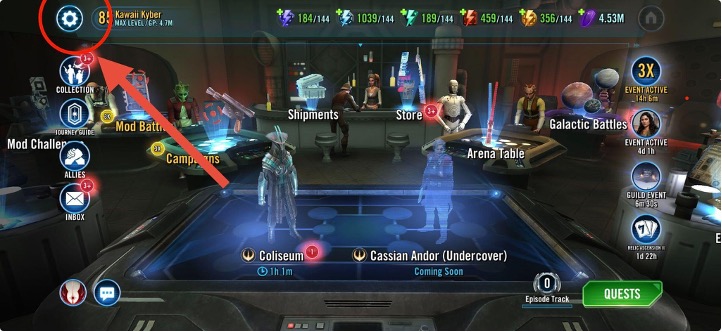
2. Tap on Settings button
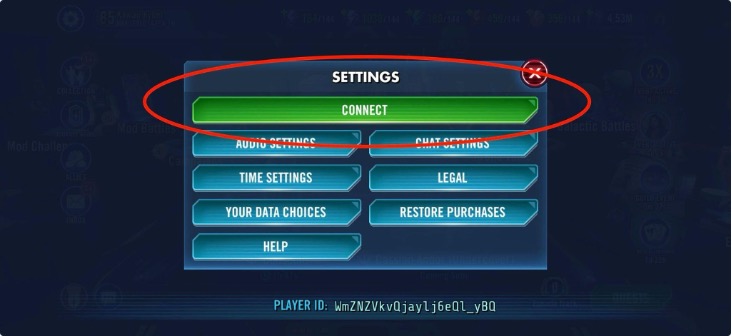
3. Tap on the green CONNECT button
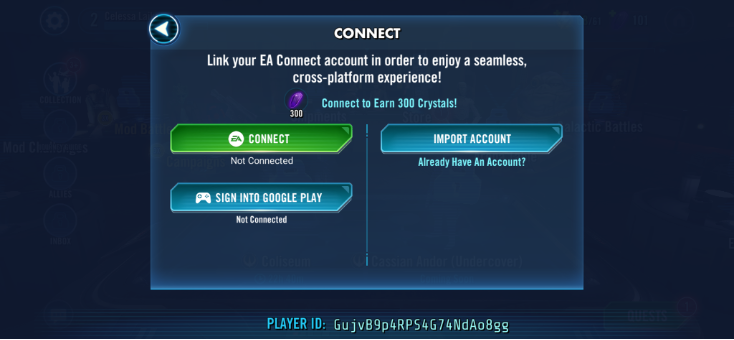
4. Tap on (EA) CONNECT button
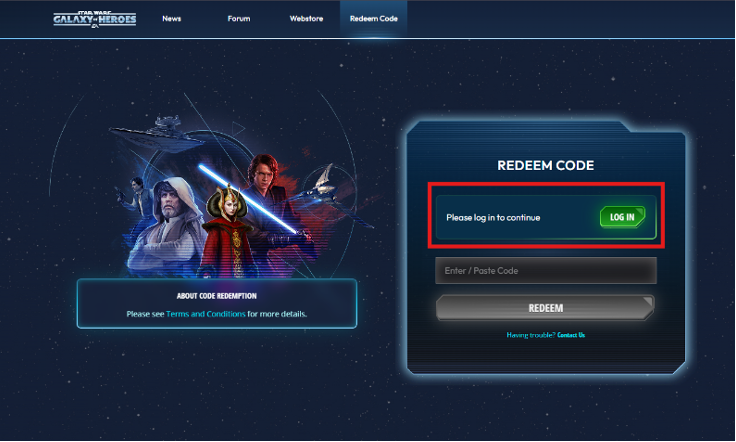
8. Paste your code and Click the ‘REDEEM’ button
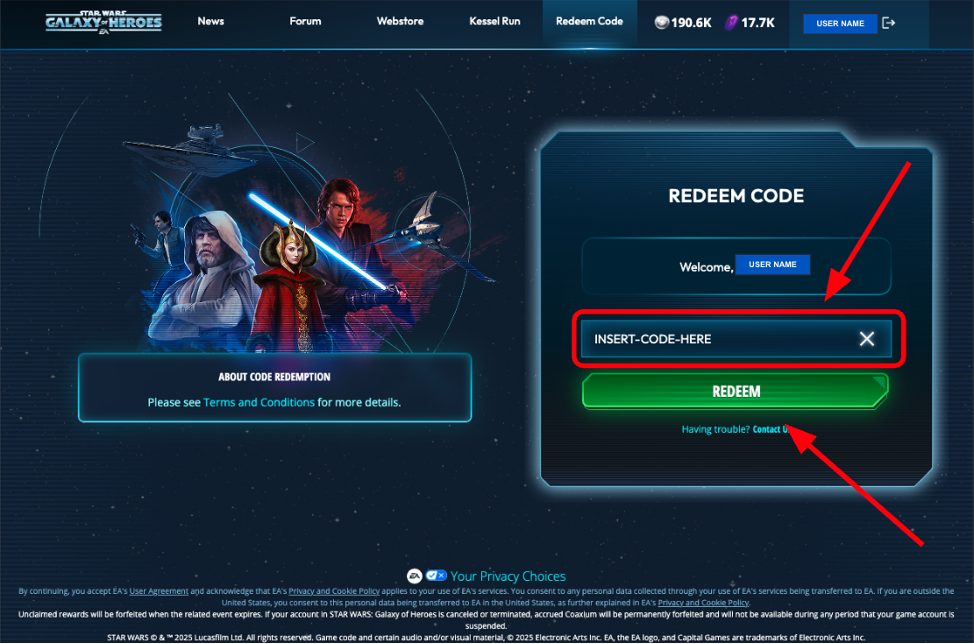
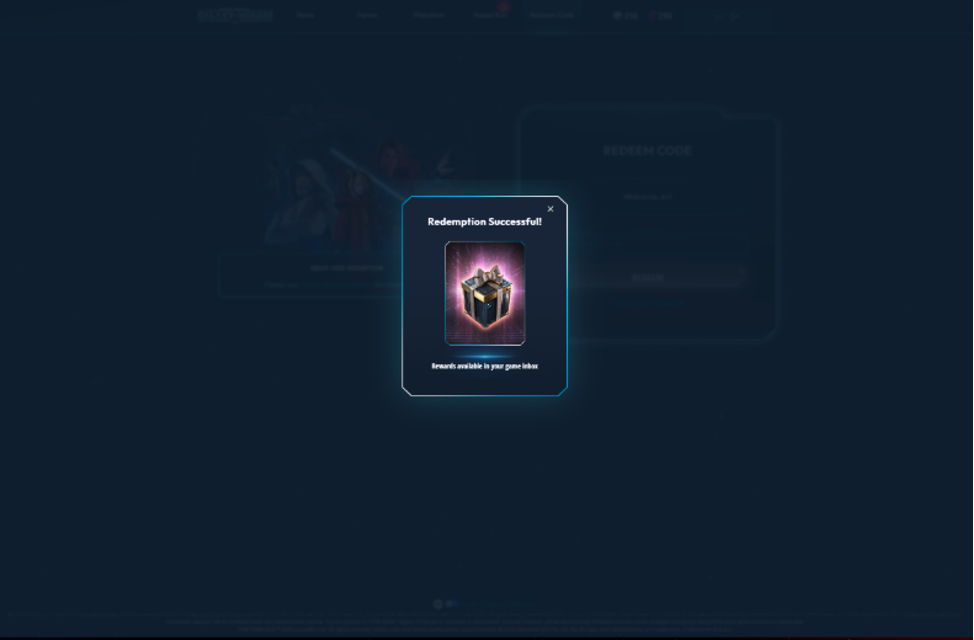
9. Re-open the STAR WARS™: Galaxy of Heroes app (you'll get a “session expired” notification if you were in the app while making transactions on the website.)
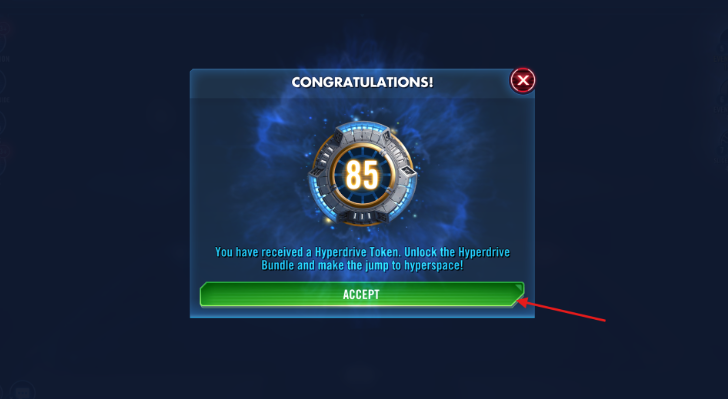
10. There will be a pop-up notification about hyperdrive bundle
11. Tap on ACCEPT button